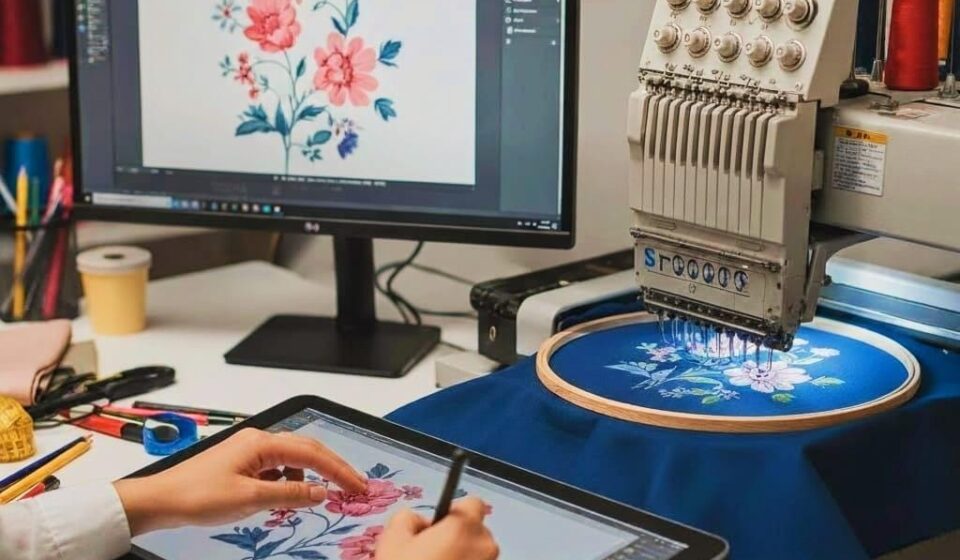

Hey there, embroidery enthusiasts and aspiring designers! Turning a beautiful logo, artwork, or photo into a stitched masterpiece on fabric feels like magic — but behind that magic is a crucial technical process called digitizing for embroidery. This step bridges the gap between your digital image and the embroidery machine, converting pixels into precise stitch instructions that tell the needle exactly where to go, how dense to stitch, and when to change threads. Without proper digitizing for embroidery, even the most stunning design can end up looking messy, puckered, or completely different from what you envisioned. In this guide, we’ll walk through how digitizing works, why it matters so much, and how you can approach it to get professional, high-quality results every time.
What Digitizing for Embroidery Actually Means
Digitizing is the process of translating a visual design (JPG, PNG, vector file, or sketch) into a stitch file that your embroidery machine can understand. Think of it as creating a sewing map: every needle drop, stitch direction, density level, underlay, and trim command gets defined during this stage.
The output is usually a machine-specific file such as DST, PES, EXP, JEF, or VP3. A well-digitized file ensures smooth stitching, minimal thread breaks, clean registration between colors, and a beautiful finished look on the fabric. Poor digitizing, on the other hand, leads to common problems like puckering, filled-in text, long jumps, or distorted shapes.
Why Digitizing Is More Than Just Tracing
Many beginners think digitizing is simply tracing an image with the software’s auto tool. In reality, it’s much more strategic. A good digitizer makes dozens of decisions:
- Which stitch type to use (satin, tatami, running, motif, etc.)
- Where to place underlays for stability
- How much pull compensation is needed for different fabrics
- The best stitch angle and density for each section
- How to optimize the path to reduce jumps and trims
These choices directly affect how the design looks and how efficiently the machine runs. A beautifully digitized file can cut production time, reduce thread usage, and produce a much cleaner backside.
The Main Steps in the Digitizing Process
Here’s a clear, step-by-step look at how professionals approach digitizing for embroidery:
1. Image Preparation
Start with the cleanest possible source file. Remove backgrounds, boost contrast, simplify colors (usually 8–15 shades), and eliminate tiny details that won’t read well in thread. Resize the design to the final embroidery size early — scaling later can distort stitches.
2. Importing and Setting Up
Import the image into digitizing software and set the correct hoop size and fabric type. These choices influence default density and compensation settings.
3. Tracing and Object Creation
Trace the major shapes manually or with guided auto-tools. Break the design into separate objects: backgrounds, mid-layers, outlines, text, and accents. This layered approach gives you better control over stitching order.
4. Assigning Stitch Types
Choose the right stitch for each part:
- Satin for borders and lettering (gives a glossy, raised look)
- Tatami or fill for larger areas (provides solid coverage)
- Running stitches for fine details or light underlays
5. Adding Underlays and Compensation
Underlays are the hidden foundation. Add edge-run under satin and grid/zigzag under fills to prevent sinking and improve coverage. Apply pull compensation to widen satin columns slightly so the final shape matches the original design after the fabric relaxes.
6. Optimizing Paths and Sequencing
Connect objects intelligently to minimize jumps. Hide travel runs under existing stitches for clean backsides. Sequence colors logically — large areas first, details last — to reduce thread changes and improve registration.
7. Previewing and Simulating
Use the software’s 3D simulation to check how the design will look on fabric. Zoom in on small text and tight curves. Check stitch count and estimated run time. This step catches most problems before you waste material.
8. Exporting and Testing
Export the final file in your machine’s preferred format. Always stitch a sample on the actual fabric you’ll use. Note any puckering, registration issues, or tension problems, then go back and refine the file. One good sample saves hours of frustration later.
Common Challenges and Smart Solutions
Small text filling in? Enlarge the letters or add extra underlay. Puckering on knits? Lower density and increase underlay. Long jumps causing thread breaks? Improve pathing and hide more travels. Colors shifting? Double-check thread matches and sequencing.
The key is iteration. Professional digitizers test, adjust, and re-test until the sample looks perfect. That patience separates average work from truly impressive embroidery.
Benefits of Learning Proper Digitizing
Mastering digitizing gives you full creative control. You can adjust designs for different fabrics, create size variations easily, and fix client-requested changes quickly. It also saves money — fewer ruined samples, less wasted thread, and faster production runs.
For small businesses and side hustlers, good digitizing skills can become a competitive advantage, allowing you to offer faster turnaround and higher quality than competitors who rely on cheap auto-tools.
Conclusion
Digitizing for embroidery is the crucial bridge that turns your creative vision into beautiful, wearable art. When done thoughtfully — with clean preparation, smart stitch choices, proper underlays and compensation, optimized paths, realistic previews, and thorough testing — the results are professional, consistent, and impressive. Whether you’re digitizing for personal projects, client work, or your own growing brand, investing time in learning this skill pays off with every stitch.
Start with simple designs, practice on scrap fabric, and gradually tackle more complex artwork. The more you digitize, the better you’ll get at making smart decisions that bring your ideas to life beautifully. Your next embroidered masterpiece is just a few thoughtful stitches away — grab that image and begin your digitizing journey today.