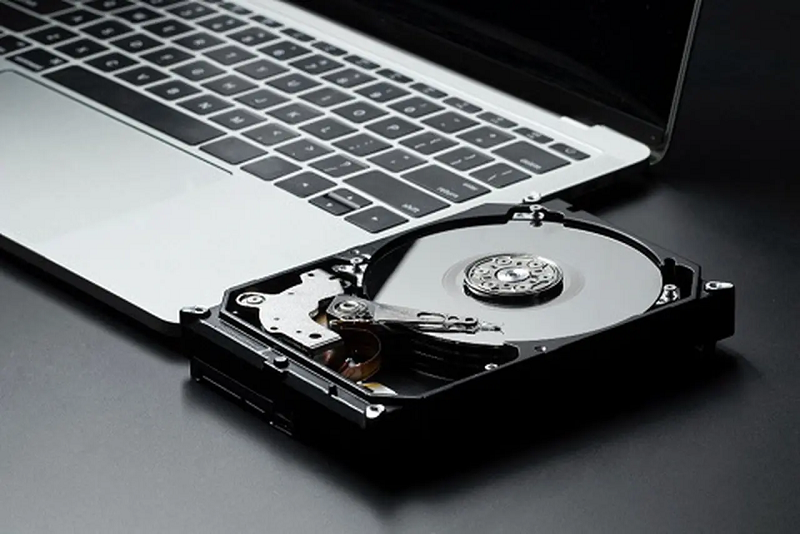

Understanding this distinction is central to good hard drive data recovery services, and it shapes how Recovery Squad approaches every case alongside our wider data recovery services.
Not all hard drive failures are created equal, and part of that comes down to something people rarely think about — whether the drive lives inside a desktop tower or travels around in a bag as a portable external unit. Each environment creates its own particular risks.
Internal Drives: Steady, But Not Invincible
Internal drives generally live a relatively stable life, sitting inside a case with consistent power and minimal physical movement. Their most common failure causes tend to be:
- Age-related wear after several years of continuous use
- Power surges or unstable power supply units
- Overheating in poorly ventilated cases
- Firmware corruption during updates
Because internal drives aren’t usually being knocked around, physical shock is a less common cause of failure compared to their external counterparts. When internal drives do fail, it’s often more gradual — a slow decline in performance, increasing bad sectors, or occasional unexplained crashes before a complete failure.
External Drives: Portable, But More Exposed
External hard drives face a very different set of risks, largely because they’re designed to be carried, plugged and unplugged frequently, and used in far less controlled environments. Common causes include:
- Being dropped or knocked while connected and spinning
- Being unplugged without properly ejecting first
- Exposure to moisture, dust, or extreme temperatures
- Damage to the USB port or connecting cable over time
Physical shock is a much bigger factor here, since a drive that’s spinning at high speed is genuinely vulnerable to even a relatively minor impact.
Why The Recovery Approach Differs
This distinction matters practically, not just academically. Hard drive data recovery services generally tailor their diagnostic approach based on which type of drive is involved:
For internal drives, technicians often look first at signs of gradual wear, checking for accumulated bad sectors or firmware issues that built up over time. For external drives, the focus shifts more toward assessing physical shock damage, since a single drop can cause immediate and specific mechanical faults like head misalignment.
A Melbourne Case Worth Mentioning
A design studio’s internal drive began showing gradually slower performance over several weeks before finally refusing to boot entirely. Because the decline had been gradual, a fair amount of the data had already started developing errors, and recovery focused heavily on working through damaged sectors methodically to reconstruct as much as possible.
Compare that to a Perth freelancer’s external drive, which stopped working instantly after being knocked off a desk mid-transfer. That case involved clear physical impact damage to the read/write head, requiring platter transfer to a healthy donor drive rather than the more gradual sector-by-sector reconstruction used in the studio’s case.
Practical Steps For Each Type
For internal drives:
- Monitor SMART data periodically for early warning signs
- Ensure adequate case ventilation to reduce heat-related wear
- Replace drives proactively once they reach several years of continuous use
For external drives:
- Always use the “safely remove” function before unplugging
- Avoid moving the drive while it’s actively being read or written to
- Store it somewhere it won’t be knocked or dropped accidentally
Why This Understanding Helps
Knowing roughly why your particular drive failed helps set realistic expectations about what recovery might involve, and how urgently you should act. A slowly failing internal drive gives you a little more breathing room, while a suddenly silent external drive after a physical knock generally calls for immediate, careful handling rather than any delay.
Recovery Squad and similar providers of hard drive data recovery services routinely see both failure types, and the diagnostic process reflects that difference from the very first assessment.
What Drives The Cost Of Hard Drive Recovery
Cost varies considerably based on fault type. A logical issue on an otherwise healthy drive is generally straightforward and relatively affordable to resolve. Physical faults requiring donor parts, cleanroom work, or extensive bad sector reconstruction naturally cost more, reflecting the specialised equipment and time involved.
Asking for a clear diagnostic assessment before committing to full recovery work is the best way to understand roughly what you’re dealing with before any significant cost is incurred.
Choosing The Right Hard Drive Data Recovery Services
Internal or external, the drive that’s failed deserves a provider genuinely experienced in hard drive data recovery services, not a generic IT fix. Understanding why your specific drive failed helps set expectations, and pairing that understanding with reliable data recovery services overall protects you against future incidents too.