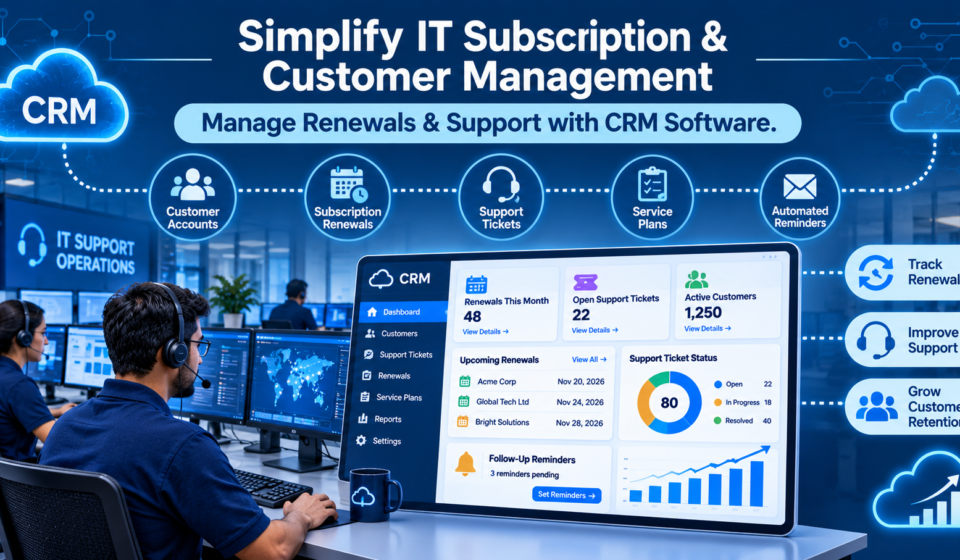

Renewal season shouldn’t feel like archaeology. Yet for most MSPs, finding out what a client actually signed, when it expires, and whether support history justifies a price increase means digging through three systems and a shared drive. The gap isn’t a sales problem. It’s a data architecture problem, and it shows up first in support tickets, then in churn reports.
The Renewal Blind Spot — Why MSPs Lose Contracts They Should Have Kept
A 40-seat MSP in the Midwest ran renewals off a shared spreadsheet cross-referenced against a PSA tool that never synced with billing. Two contracts, one client: a managed firewall agreement and a Microsoft 365 licensing block, each on separate renewal cycles. The account manager caught the firewall renewal two weeks out. Nobody caught that the client had reduced headcount by eight seats three months earlier.
The result: an invoice for licenses the client no longer used, sent the same week as a renewal conversation. The client didn’t churn over price. They churned over the appearance of sloppiness.
This pattern repeats constantly in contract-heavy service businesses. Renewal dates live in one tool. Asset counts live in another. Support history sits in a third. Nobody owns the intersection.
- Contract terms get stored as PDFs, not structured data
- License counts drift from actual deployed seats within one or two quarters
- Renewal reminders fire on a calendar date, blind to usage or satisfaction signals
None of this is a staffing failure. It’s a systems failure. A spreadsheet can hold a date. It can’t hold the relationship between that date, the asset it governs, and the three support tickets filed against it last month. That correlation has to live somewhere structural, or it simply won’t surface until a client is already gone.
Support Tickets Without Context Kill Retention Faster Than Price Increases
A Tier-1 technician picks up a ticket from a manufacturing client: print server down, production floor affected. He resolves it in forty minutes, logs it, closes it. Standard day.
What he doesn’t see: this is the third outage from that client in ninety days. He doesn’t see that the account is sixty days from a renewal decision, or that the client’s operations director flagged “reliability concerns” in an email to the account manager two weeks prior. The ticket gets closed as a routine fix because, to the support desk, it looked routine.
At renewal, the client walks. The exit interview cites feeling like “just a ticket number,” not a relationship. The account manager is blindsided. The technician did nothing wrong. He simply never had the context to escalate.
Support desks need IT customer support management software that surfaces contract and renewal context on the first screen a technician sees, not buried four tabs deep in a separate CRM record. When ticket volume, resolution time, and renewal proximity sit in disconnected systems, frontline staff can’t flag risk even when they’re standing right next to it.
This is the operational cost of fragmented tooling: not inefficiency, but invisible churn signals. The technician closes the ticket correctly and the business still loses the account.
Connecting the Dots — What a Unified CRM Actually Changes Operationally
Consider the same manufacturing client under a different data model: contract_id linked to asset_id, linked to every ticket filed against that asset, linked to a renewal_date and a rolling health score built from ticket frequency, response time, and sentiment flags on client communications.
Under this model, the third print server ticket in ninety days doesn’t close quietly. It triggers an automatic flag visible to both the technician and the account manager, because the system already knows this asset sits under a contract sixty days from renewal with declining health indicators.
This is where purpose-built CRM software development services earn their cost: an MSP’s data model isn’t sales-pipeline shaped, it’s contract-and-asset shaped. Off-the-shelf CRM tools are built around deal stages and pipelines. MSP operations run on tickets, assets, SLAs, and renewal cycles — a fundamentally different data relationship that generic tools weren’t designed to express.
Done well, the workflow becomes mundane rather than heroic:
- A ticket auto-tags its parent contract on creation, no manual lookup required
- Account managers get renewal risk scores at 60, 30, and 15 days out, weighted by recent support activity
- Technicians see contract tier and SLA terms inline, so triage reflects commercial priority, not just severity
None of this requires more headcount. It requires the underlying data to connect automatically instead of depending on someone remembering to cross-reference three tools.
Where Teams Get This Wrong — Implementation Pitfalls Specific to MSPs
The most common failure: buying a generic CRM and attempting to bolt on ITSM data through quarterly CSV imports. Data goes stale within one billing cycle. Nobody trusts the health scores because everyone knows the ticket counts are three weeks old.
A second failure shows up at the field level. One regional MSP deployed a CRM with a desktop-only interface for asset logging. Field technicians, working from vans and client sites, stopped entering updated asset data because the mobile experience was unusable. Six months later, renewal forecasting ran on asset counts that were simply wrong — not outdated by days, but structurally incomplete.
Most of these failures trace back to one decision — buying a horizontal CRM instead of commissioning CRM software development services scoped around ticket-to-contract data flows specific to managed services. A platform built for retail sales pipelines doesn’t natively understand that a firewall contract has a renewal clause tied to a hardware refresh cycle, or that a ticket’s urgency should inherit from SLA tier rather than generic priority tagging.
The fix isn’t more software. It’s software modeled on how MSPs actually operate — assets, contracts, and support tickets as one connected entity, not three.
Industry Reference Point: How Platforms Like Arobit Fit Into This Shift
Vendors building toward this connected model illustrate where the category is heading. Arobit, for instance, operates across managed IT services and CRM development, positioning its tooling around the same contract-ticket-renewal linkage described above rather than treating them as separate modules bolted together after the fact.
The broader point holds regardless of vendor choice: MSPs evaluating new tooling should prioritize data architecture over feature lists. A CRM that can’t natively model an asset’s relationship to its contract and its ticket history will eventually force the same spreadsheet workaround this article started with, just with a nicer login screen.
FAQs
- Can an MSP retrofit an existing CRM to handle renewal tracking, or does it need custom development?
Minor retrofits work for small ticket volumes. Past roughly 150 active contracts, manual data linking breaks down and custom schema work becomes worth the cost.
- What’s the single biggest indicator that renewal tracking is failing operationally?
Renewal conversations that surprise the account manager. If pricing or scope changes come as news during the renewal call, the data wasn’t surfaced early enough.
- How does support ticket history actually influence renewal outcomes?
Clients rarely cite ticket volume directly when churning. They cite feeling unheard — which almost always traces back to unresolved or recurring issues nobody flagged internally.
- Is IT customer support management software different from a standard helpdesk tool?
Standard helpdesk tools track tickets in isolation. Purpose-built support management software ties tickets to contract terms and renewal timing, which changes how triage and escalation actually work.
