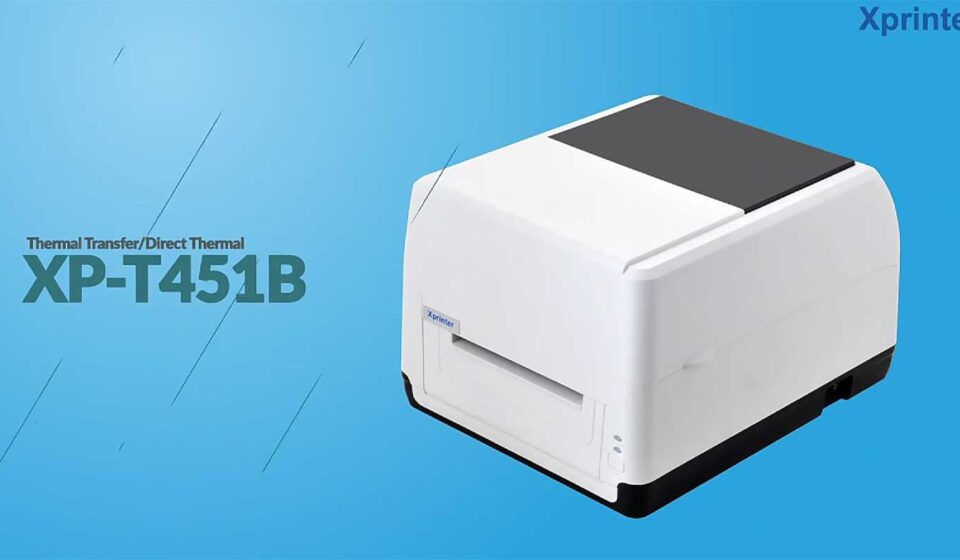

Thermal printers are widely used in businesses that need fast and reliable printing for receipts, labels, tickets, and other important documents. However, like any electronic device, thermal printers may experience occasional issues that can affect daily operations.
Understanding common problems and their solutions helps businesses reduce downtime and maintain smooth workflows. Many users rely on devices such as the Xprinter Thermal Printer for regular business tasks, and knowing basic troubleshooting steps can help keep printing operations efficient.
1. Printer Not Turning On
One of the most common issues users experience is a printer that does not power on.
Possible causes include:
- Loose power connections
- Damaged power cables
- Faulty power adapters
- Electrical supply problems
Solution:
Check that the power cable is securely connected to both the printer and the electrical outlet. Try using a different power source if necessary. If the printer still does not turn on, inspect the adapter or seek technical support.
2. Poor Print Quality
Sometimes thermal printers may produce faded, unclear, or incomplete prints. This can make receipts, labels, and barcodes difficult to read.
Common reasons include:
- Low-quality thermal paper
- Dirty print heads
- Incorrect printer settings
- Worn printing components
Solution:
Clean the print head carefully, check the quality and compatibility of the paper, and adjust print settings if needed. Regular maintenance can help maintain clear printing results.
3. Paper Feeding Problems
Paper feeding issues can interrupt business operations, especially during busy periods.
Common causes include:
- Incorrect paper installation
- Paper jams
- Damaged rollers
- Incorrect paper size
Solution:
Remove any stuck paper and reinstall the roll correctly. Make sure the paper is aligned properly and that the printer is using compatible paper materials.
4. Printer Not Connecting to Devices
Connection problems may occur when the printer cannot communicate with a computer, POS system, or mobile device.
Possible causes include:
- Loose cables
- Incorrect drivers
- Network issues
- Incorrect connection settings
Solution:
Check all cable connections and confirm that the correct drivers are installed. For wireless connections, verify network settings and ensure the printer is properly paired with the device.
5. Printing Too Slowly
Although thermal printers are designed for fast printing, some users may notice reduced speed.
Possible reasons include:
- Incorrect settings
- Software limitations
- Connection problems
- High-resolution printing requirements
Solution:
Review printer settings, check software performance, and ensure the connection method is suitable for the business environment.
6. Printer Producing Blank Prints
Blank pages or labels can occur when the printer is unable to transfer heat properly to the printing material.
Possible causes include:
- Incorrect paper type
- Paper loaded incorrectly
- Dirty print head
- Hardware issues
Solution:
Confirm that thermal paper is installed correctly and that the printable side is facing the right direction. Cleaning the print head may also resolve the issue.
7. Frequent Paper Jams
Repeated paper jams can slow down operations and increase maintenance requirements.
Common causes include:
- Poor-quality paper
- Incorrect paper placement
- Dust buildup
- Mechanical problems
Solution:
Use suitable printing materials, clean the printer regularly, and ensure the paper roll is installed correctly.
8. Barcode Printing Issues
Businesses that depend on barcode labels need accurate and readable prints. Poor barcode quality can create scanning problems.
Possible causes include:
- Incorrect label settings
- Low print density
- Wrong label size
- Poor-quality labels
Solution:
Adjust print settings, verify label dimensions, and use high-quality compatible materials to improve barcode readability.
9. Driver or Software Errors
Software problems can prevent the printer from working correctly with business systems.
Common causes include:
- Outdated drivers
- Incorrect software configuration
- Operating system compatibility issues
Solution:
Update printer drivers, check software settings, and confirm that the printer is compatible with the operating system being used.
10. Regular Maintenance to Prevent Problems
Preventive maintenance is one of the best ways to avoid common thermal printer issues.
Recommended practices include:
- Cleaning the print head regularly
- Using quality thermal paper
- Keeping firmware and drivers updated
- Checking cables and connections
- Removing dust from the printer area
Regular care improves performance and extends the lifespan of the equipment.
Conclusion
Thermal printers are reliable tools for businesses, but occasional issues can occur due to maintenance, setup, or usage conditions. By understanding common problems such as connection errors, paper jams, print quality issues, and software challenges, users can quickly identify solutions and minimize disruptions.
Proper maintenance and correct usage help ensure consistent printing performance, allowing businesses to continue their daily operations with fewer interruptions.