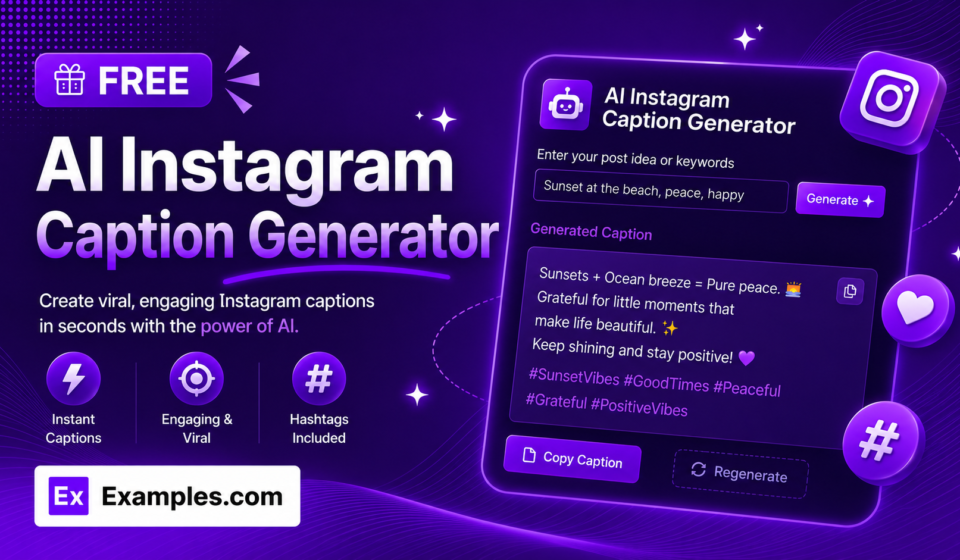

Free Instagram Caption Generator
Creating a great Instagram post is not only about choosing an attractive photo or making an interesting Reel. The words we use with that content also matter. A well-written caption can explain the message, show personality, encourage interaction, and give followers a reason to stop and read.
However, writing a fresh caption for every post can take time. We may have the perfect photo or video ready but struggle to find the right words. A free Instagram caption generator can solve this problem by giving us quick caption ideas based on our topic, audience, tone, and content goal.
Instead of starting from a blank screen, we can generate several ideas in seconds. We can then select the strongest option, add our personal touch, and create a caption that feels natural and relevant.
Free AI Social Media Tools
Free AI social media tools can help us simplify many repetitive tasks involved in social media content creation. AI can assist with brainstorming, writing, editing, planning, and developing ideas for different platforms.
A free Instagram caption generator is especially useful for creators, marketers, influencers, small businesses, and anyone who regularly posts on Instagram.
These tools can help us with:
- Instagram captions
- Social media post ideas
- Content brainstorming
- Hashtag suggestions
- Promotional copy
- Reel captions
- Caption rewriting
- Content planning
- Engagement questions
- Short-form content
By using AI as a creative assistant, we can spend less time on repetitive writing and more time developing original content.
Why Use a Free Instagram Caption Generator?
Writing captions manually is not always difficult, but doing it repeatedly can become tiring. We may spend several minutes thinking about an opening line, choosing the right tone, and deciding how to finish the post.
A caption generator gives us an immediate starting point.
It can help us:
- Write captions faster
- Overcome writer’s block
- Generate multiple creative ideas
- Try different writing styles
- Create captions for different audiences
- Maintain a consistent posting schedule
- Develop stronger hooks
- Save time during content creation
The tool does not have to write the final caption for us. We can use its suggestions as inspiration and make the final version our own.
How a Free Instagram Caption Generator Works
Most caption generators follow a simple process. We provide information about our content, and the tool creates caption suggestions based on our instructions.
For example, we might enter:
“Write a friendly Instagram caption for a small coffee shop introducing a new iced latte. Keep it short and encourage customers to try it.”
The generator can create several possible captions.
We can then compare them and choose the one that best represents our brand.
A simple process is:
Describe the post → Choose the tone → Generate captions → Select the best idea → Personalize → Publish
This makes caption writing much more manageable.
Write Better Captions With Better Prompts
The information we give the generator can have a major effect on the result. A vague prompt may produce a generic caption, while a detailed prompt can create a more relevant idea.
Instead of writing:
“Create a caption about fitness.”
we can write:
“Create an energetic Instagram caption for a fitness creator sharing a morning workout routine. Keep it under 70 words and encourage followers to share their favorite exercise.”
The second prompt provides details about the subject, audience, tone, length, and goal.
Useful information to include in our prompts includes:
- Topic
- Target audience
- Brand voice
- Caption length
- Content format
- Purpose of the post
- Important details
- Desired call to action
Choose the Right Caption Tone
Different brands and creators communicate in different ways. A professional company may want a formal tone, while a lifestyle creator may prefer casual and conversational language.
We can ask a free Instagram caption generator to create captions that are:
Friendly
Useful for community-focused brands and creators.
Professional
Suitable for businesses, services, and industry-related content.
Funny
Helpful for entertainment, lifestyle, and casual posts.
Inspirational
A good choice for motivational, fitness, personal growth, and achievement content.
Educational
Useful when sharing tips, facts, tutorials, and industry knowledge.
Conversational
Makes posts feel more personal and encourages followers to join the discussion.
Choosing the correct tone helps the caption feel more connected to our content.
Create Strong Instagram Caption Hooks
The first line can determine whether someone continues reading. A strong hook creates curiosity or immediately communicates value.
We can ask an AI caption generator to create several hook options.
Question Hook
“What’s one social media lesson you wish you had learned earlier?”
Curiosity Hook
“We discovered something that completely changed our content strategy.”
Benefit Hook
“Here are three easy ways to improve your Instagram captions.”
Story Hook
“This started as a simple idea, but it quickly became something much bigger.”
Direct Hook
“Stop spending hours trying to write the perfect Instagram caption.”
Testing different hooks can help us find an opening that naturally fits the post.
Generate Multiple Captions in Seconds
We do not have to accept the first generated caption. One of the biggest advantages of AI is the ability to create multiple variations quickly.
For example, we can ask for:
- Three short captions
- Three funny captions
- Three professional captions
- Three storytelling captions
- Three engagement-focused captions
We can then compare the options and combine the best elements.
One caption might have a stronger hook, while another may have a better call to action. We can use both ideas to create a stronger final version.
Create Captions for Instagram Reels
Reels are an important part of Instagram content, but writing a new caption for every video can become repetitive.
We can describe what happens in the Reel and ask the generator to create captions that complement the video.
For example:
“Create five short captions for a Reel showing five productivity tips for entrepreneurs. Keep the tone friendly and add a simple question at the end.”
The generated captions can give us several options without requiring us to start from scratch.
The caption should add value rather than simply repeat everything viewers already saw in the video.
Create Product Captions Faster
Businesses can use a free Instagram caption generator to create captions for product launches, promotions, new arrivals, and special offers.
A useful product prompt might include:
Product name + main benefit + target customer + tone + call to action
For example:
“Write a concise Instagram caption for a new reusable water bottle. Highlight its convenient design and encourage followers to check the product page.”
We can then add specific product details and make the caption sound consistent with our brand.
Use Calls to Action Effectively
A call to action tells followers what we would like them to do after reading the caption.
Examples include:
- “What do you think?”
- “Which one would you choose?”
- “Save this post for later.”
- “Share this with a friend.”
- “Tell us your experience below.”
- “Follow for more tips.”
- “Visit our profile to learn more.”
The call to action should match the purpose of the post. A simple question may work well for an engagement post, while a profile visit may be more appropriate for promotional content.
Use AI to Overcome Writer’s Block
Even experienced creators can run out of ideas. Sometimes we know what we want to post but cannot find an interesting way to explain it.
A caption generator can act as a brainstorming assistant.
We can provide a simple idea and ask the tool to approach it from several perspectives. One suggestion might inspire a personal story, another might produce a useful question, and another could reveal a new angle we had not considered.
This means we are not simply generating text. We are also using AI to expand our creative possibilities.
Personalize Every AI-Generated Caption
AI-generated content should not always be published exactly as it appears. Personalization is what makes a caption feel authentic.
We can improve generated captions by adding:
- Personal experiences
- Real customer stories
- Specific product details
- Original opinions
- Industry knowledge
- Unique observations
- Relevant humor
- Brand-specific language
For example, instead of saying:
“We’re excited to share our latest update.”
we can explain exactly what the update is and why it matters.
Specific details make captions more meaningful.
Keep Instagram Captions Easy to Read
Long captions can work when the topic requires storytelling or detailed information. However, we should make them easy to scan.
We can improve readability by:
- Using short paragraphs
- Avoiding unnecessary repetition
- Starting with a clear hook
- Keeping the message focused
- Using simple language
- Adding spacing where appropriate
- Using emojis only when they fit our style
A caption should feel natural rather than like a block of marketing text.
Use Relevant Keywords Naturally
We can naturally include words related to the topic of the post. For example, a social media marketing account may use terms such as social media tips, Instagram marketing, content creation, and Instagram strategy when they genuinely fit the caption.
Keywords should never make the caption difficult to read. The primary goal should always be clear communication with the audience.
Use Hashtags Carefully
AI tools can help us brainstorm relevant hashtags, but we should always review the suggestions.
A fitness post, for example, might need hashtags related to:
fitness, workout, wellness, exercise, strength training, healthy lifestyle
The hashtags should accurately describe the content. Irrelevant hashtags can make a post look less focused.
Free AI Social Media Tools for a Complete Workflow
Caption generation is only one part of social media content creation. Other free AI social media tools can help us build a more efficient workflow.
We can use AI assistance for:
Content Ideas
Generate topics based on our niche and audience.
Caption Writing
Create multiple caption variations quickly.
Hashtag Research
Brainstorm hashtags that are relevant to our content.
Content Repurposing
Turn one idea into multiple forms of social media content.
Writing Improvement
Make captions clearer, shorter, or more conversational.
Content Planning
Organize ideas into a consistent publishing routine.
Using several AI capabilities together can save time across the entire content creation process.
Common Mistakes to Avoid
A caption generator is useful, but we should avoid relying on it without reviewing the output.
Publishing the First Result
The first suggestion is not necessarily the strongest one. Generate multiple options.
Using Generic Language
Add specific details to make the caption more personal.
Ignoring Brand Voice
Make sure the wording sounds like our business or creator identity.
Adding Unrelated Hashtags
Only use hashtags that genuinely match the content.
Forgetting the Audience
A caption should be written for the people we want to reach.
Making Every Caption the Same
Experiment with different formats, tones, and structures.
A Simple Formula for Better Captions
We can use a simple structure for many Instagram posts:
Hook + Value + Personality + Call to Action
The hook captures attention.
The value explains what followers can learn, gain, or understand.
Personality makes the caption sound human and recognizable.
The call to action encourages an appropriate next step.
This formula gives us a simple framework while leaving plenty of room for creativity.
Final Thoughts
A free Instagram caption generator can help us write better captions in seconds while reducing the time and effort required for everyday content creation. It can provide fresh ideas, stronger hooks, different writing styles, and multiple variations whenever we need inspiration.
The best approach is to use AI as a creative assistant rather than a complete replacement for human input. We can generate ideas quickly and then add our own experiences, opinions, details, and brand personality.
When combined with free AI social media tools, caption generation can become part of a simple and efficient workflow. We can save time, experiment with more creative ideas, and consistently produce Instagram captions that are useful, natural, and engaging.
