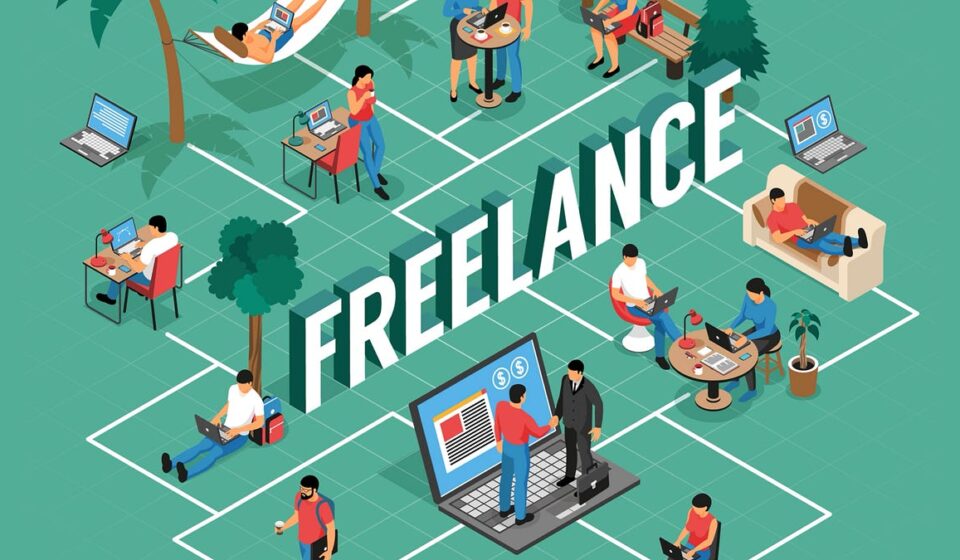

Do you think you have a lot of freedom in freelancing?
Yeah, sort of, as there are no bosses. Working hours are flexible, and you can work from anywhere.
However, nothing comes free.
This freedom you rejoice in comes with challenges, and you are all alone to tackle them! That is to say, you have to be an admin, a manager, and a worker.
Isn’t it too much? But don’t worry, all you need are some tips to get organised.
Therefore, in this blog, you will learn about tools and tips on how to stay organised as a freelancer. So read along!
Why Must Freelancers Stay Organised?
Imagine you woke up and remembered you need to meet a deadline. You rushed to open your laptop, but did not know where to start. So you checked all your emails and jumped into a task. Then, in the next second, you remember something more important halfway through.
As a result, you worked for hours but completed nothing. That is what disorganisation looks like.
So, as a freelancer, organisations help you in:
- Meeting deadlines without any stress.
- Managing different clients.
- Maintaining a healthy balance between work and life.
That is to say, when you are organised, you feel more in control of your work. It can help you turn all work chaos into clarity. So, how to do it? Read on to learn!
How to Start an Organisation as a Freelancer?
Did the previous section of this blog change your mind? Yes, you are ready to start building an organisation plan. But don’t overcomplicate it!
That is to say, avoid using multiple apps. Otherwise, you will get lost in tabs and notifications. To stay organised, you do not need ten apps.
So start with these three basic organisation apps and tools:
- Task manager
- Calendar
- File storage system
So, let’s move to the next section to understand each tool in detail.
5 Effective Tools for Freelancers to Stay Organised
Freelancer, it is time to take things into your hands! To stay on top of your work and deadlines, try these simple yet effective tools:
1. Task management tools
Close your eyes and see yourself working on your laptop with determination. You told yourself,” I will get all work done. But what? Which task should I start with? What are deadlines?”
You are flipping from emails and client chats to sticky notes. This confusion and uncertainty triggered your panic. That is why you need a good task manager. It can help you keep track of tasks that you need to do first.
Hence, here are some popular task management tools:
- Trello: It is great for visual thinkers.
- Asana: This one is ideal for structured workflows.
- Todoist: It helps you to keep everything simple and clean.
With these tools, you can manage tasks, set deadlines, and track progress. But remember to keep all your task lists realistic. In other words, to stay motivated, don’t make it overwhelming.
But how can you get organised if you don’t know what date it is? To know that, you need the next tool!
2. Calendar Management tools
Do you agree that when you check your calendar, your day starts to make sense? You look through it, and you see that everything has a place.
From meetings, deadlines, to breaks, you don’t have to guess what to do next. That is to say, a calendar is like a time map.
Hence, the best calendar management tools are:
- Google Calendar
- Outlook Calendar
So, you can use them to block time for:
- Client work
- Meetings
- Breaks
- Personal time
This helps you avoid overbooking and burnout. Freelancers, check your calendar every morning! It can completely change your day, and you can manage your time. But how to manage your files? Read on to find out!
3. File Organisation tools
It is urgent. You need a file, so you search through all your folders, emails, and downloads. But you still can’t find it. Your client is waiting.
Isn’t that a nightmare for freelancers? Losing files not only wastes your time but also drains your energy.
Therefore, use file organisation tools like:
- Google Drive
- Dropbox
- OneDrive
These tools can help you create clear folders, such as:
- Main folder: Client Name, then a sub folder: Project Name: Files
Remember to give your files clear, descriptive names. But if you type random letters, it can be problematic.
4. Time Tracking Tools
You are working on a freelance project, and you told yourself, “It will take an hour!” But three hours have passed, and you are still not done.
Deadlines creep closer. So you start stressing because you underestimated the time. That is why you must use time tracking tools like:
- Toggl
- Clockify
These tools can help you understand where your time goes. So if you charge hourly as a freelancer, this can be extremely useful.
5. Tools for taking notes
Freelancers! You know how ideas come at random times, in the middle of the night or while talking to someone.
You lie to yourself, “Oh, I will remember it.”But after a few hours, it is all gone. That is to say, good ideas don’t wait. If you don’t note them, they vanish.
So use these effective tools for taking notes :
- Notion
- Evernote
- Simple Notes app
Whether it is ideas, clients, or meeting notes, you need to keep everything in one place. But tools alone can’t fix everything. You need to learn some organising tips that work for you. To learn them, move to the next section!
5 Effective Tips for Freelancers to Stay Organised
Freelancers! Do your deadlines sneak up? Or are emails piling up? But all tools sit there, forgotten. To stay organised as a freelancer, follow these 4 effective tips:
- Plan your say the night before
- Handle your freelancing tasks in turn
- Keep your workspace clean
- Set boundaries with clients
- Seek help to balance freelancing with studies
If you are a freelancer and a student, then things get even more challenging. So, you juggle between assignments, deadlines, and client work.
To stay organised, you can seek professional help services. For example, an HR student can contact a service that provides CIPD students with help in the UK. With their CIPD assignment helper, they can manage academic pressure with freelance work.
Final Thoughts
So, freelancers!
No doubt freelancing gives you freedom. But it comes with great responsibility. Without organisation, you can feel lost and overwhelmed. So, follow these tips:
- Start small
- Pick a few tools.
- Build simple habits.
- Stay consistent.
Over time, with these tips, you will have more control over your work and succeed as a freelancer.