
Corporate exhibitions require clear visual communication across busy venues. A well-planned video wall rental for event setup gives businesses a large digital format for presentations, product information, company branding, demonstrations, and scheduled media. LED walls can be incorporated into exhibition stands, conference stages, corporate halls, and temporary business installations where standard monitors may not provide sufficient scale.
Modern corporate events often use several types of technology at the same venue. Large LED displays handle shared visual content, while tablets and computers can support presentations, administration, demonstrations, and other operational requirements. Planning these technologies as one coordinated system can make event production easier to manage.
Large LED displays for corporate exhibition halls
Exhibition halls contain banners, printed graphics, lighting structures, booths, and digital signage from many companies. Businesses therefore need display formats that make important information visible across larger spaces. LED video walls provide a scalable format for presenting corporate media at an appropriate size.
Companies can use these screens for product videos, brand graphics, presentation slides, technical animations, schedules, and company information. The content can be changed throughout the event without replacing printed materials. This flexibility is useful when different presentations or products are scheduled during the same exhibition.
Screen dimensions should still match the available stand space. An unnecessarily large installation can dominate a compact booth, while a small display may have limited visibility inside a major exhibition hall. Venue dimensions and viewing positions should guide the final configuration.
Make company branding visible across the venue
Corporate exhibitions provide limited time for companies to communicate their identity. Visitors moving through a trade show may see hundreds of visual elements during a single day. Clear branding helps make an exhibition stand easier to identify.
LED walls can display company logos, campaign graphics, corporate videos, product imagery, and short informational messages. Motion content can also provide visual variation throughout the day. However, animations should remain professional and easy to understand.
Consistency is particularly important. The colours, typography, terminology, and imagery displayed on the LED wall should correspond with the physical exhibition stand. This creates a unified corporate presentation across digital and printed materials.
Present products on a larger digital canvas
Some products contain features that are difficult to demonstrate using printed panels. A large digital screen can present close-up footage, diagrams, animations, technical specifications, and demonstrations. This is especially useful when the physical product is small or when an internal process cannot be shown directly.
Manufacturers can display machinery in operation without transporting every piece of equipment to the venue. Technology companies can demonstrate software interfaces or digital workflows. Service businesses can use animated diagrams to explain processes that do not have a physical product.
Content should remain concise enough for an exhibition environment. Long blocks of text are difficult to read on a large display. Strong visuals supported by short statements usually suit this format more effectively.
Use the LED wall as part of the stand architecture
A corporate video wall works best when it is considered during the exhibition stand design process. Adding the display after counters, furniture, lighting, and signage have already been positioned can restrict placement options. Early planning gives designers more control over the complete layout.
The screen might form the main rear wall of a stand or occupy a dedicated presentation zone. Other layouts may position digital displays alongside product areas. The appropriate configuration depends on booth dimensions and exhibition requirements.
Technical planning should also happen early. Installation access, screen dimensions, electrical requirements, and relevant venue regulations may affect the design. Coordinating with qualified exhibition and audiovisual professionals helps address these considerations before setup day.
Build content specifically for an LED format
Corporate media designed for a laptop display may not automatically work on a large LED wall. Text that looks perfectly readable on a computer can become difficult to interpret when incorporated into a large exhibition composition. Aspect ratio can also differ from standard presentation formats.
Design teams should receive the relevant display dimensions before producing final media. Videos, animations, graphics, and presentations can then be prepared for the intended canvas. This reduces the need for awkward cropping or stretching during event setup.
Important information should also remain within safe areas of the composition. Logos and key statements should not sit too close to screen boundaries. Testing representative content before the event can identify visual issues early.
Support scheduled corporate presentations
Exhibition stands frequently host scheduled presentations throughout the day. A company may introduce a product, explain a technical process, present research, or provide a short business demonstration. A large LED display can provide supporting visual material for these sessions.
Presentation content should be designed for the expected audience position. Large headings, clear diagrams, and simplified charts are easier to view across an exhibition area than dense slides. Detailed information can be supplied through separate documents or digital resources when required.
Timing should also be coordinated with the media schedule. Promotional content can run between presentations, while presentation material can take priority during scheduled sessions. This allows one display installation to support several corporate functions.
Create dedicated product demonstration areas
Product demonstrations often require their own area within an exhibition stand. A demonstration counter can be positioned near the LED wall so supporting visuals remain visible while staff present the product. This arrangement can make technical explanations easier to follow.
The screen can show enlarged product details, operating instructions, diagrams, or prepared demonstration footage. It can also display supplementary information while the physical demonstration takes place. The exact media should reflect the product and presentation format.
Audio requirements should be considered separately. Exhibition halls can be noisy, and individual venue rules may apply to sound systems. Visual content should therefore remain understandable even when audio is limited.
Use iPad rental for portable business applications
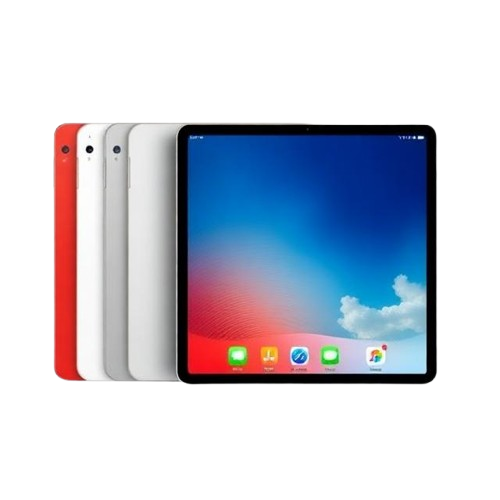
Large LED walls serve shared viewing requirements, while smaller devices can support individual business tasks. iPad rental can be considered for approved exhibition applications, digital catalogues, product information, surveys, or staff workflows. Tablets can be positioned on stands or assigned to authorised event personnel.
Using tablets can also reduce dependence on printed catalogues where digital information is suitable. Product specifications and approved corporate materials can be accessed through the relevant application or website. Businesses should confirm software and connectivity requirements before deployment.
Tablets should have a defined purpose within the exhibition plan. Deploying devices without identifying their operational role can create unnecessary hardware. Each tablet should correspond with a specific business requirement.
Set up laptop rental for temporary event workstations
Event teams often require computers behind the exhibition stand for administrative work. Laptop rental can support temporary workstations used for presentations, schedules, documents, approved event software, or other business tasks. This can be useful when additional computers are required only for the duration of an exhibition.
Hardware specifications should match the intended software. Basic document management may require fewer resources than video production or specialist applications. Identifying those requirements beforehand can simplify equipment selection.
Workstations should also be positioned appropriately. Internal operational computers generally do not need to occupy valuable public display space. A dedicated staff or technical area can keep administrative tasks separate from the main corporate presentation.
Consider Mac rental for compatible creative workflows
Some exhibition production teams use macOS-based applications for design, media management, or presentation preparation. Mac rental can provide temporary hardware where compatible Apple computers are required for a particular event workflow. Software, connections, storage, and other technical requirements should be checked in advance.
Creative teams may use these systems to review approved media before it appears on the main display. Last-minute changes can also be handled when the necessary applications and authorised files are available. This can be useful during exhibitions where presentation material changes during the programme.
The computer should still be selected according to the task. Different creative applications have different processor, memory, graphics, and storage requirements. Technical specifications should be confirmed before the equipment is booked.
Plan screen placement around venue sightlines
Screen visibility depends heavily on physical placement. Exhibition structures, lighting equipment, columns, and neighbouring stands can obstruct parts of a display. A site plan can help identify potential issues before installation.
Event teams should review the LED wall from several areas of the venue. The screen should be positioned so that primary business information remains visible from the intended viewing zones. Height and orientation may need adjustment depending on the exhibition layout.
Wide stands require particular attention. Content that looks ideal directly in front of the screen may appear different from the sides. Display placement should therefore account for the main areas from which the corporate material will be viewed.
Keep corporate content simple and readable
Large screens do not require large amounts of information. In fact, adding too much content can make the display harder to understand. Corporate LED media should prioritise the information that matters most.
A practical content sequence may include:
- Company logo and corporate identity
- Main product or service category
- Product videos and approved demonstrations
- Key technical features
- Scheduled presentation information
- Corporate campaign graphics
- Speaker or session information
- Relevant company contact information
Each screen should have a clear purpose. Trying to present every company detail at the same time can reduce readability. Additional information can be provided through other digital or printed resources.
Coordinate lighting with the digital display
Exhibition lighting can affect how an LED wall appears within the stand. Spotlights, decorative lighting, and neighbouring displays all contribute to the visual environment. The LED installation should therefore be considered alongside the lighting design.
Excessive competing light can weaken visual hierarchy. Conversely, an extremely bright screen inside a darker stand can dominate every other design element. A balanced approach helps the digital display remain prominent without making the rest of the booth disappear.
Testing during setup is valuable. Event teams can view the completed stand under actual exhibition lighting and make appropriate adjustments. This provides a more accurate assessment than reviewing the design solely through digital mock-ups.
Prepare media before exhibition setup begins
Build day is not the ideal time to begin organising corporate media. Videos, presentations, logos, and graphics should be prepared before the technical installation wherever possible. This gives production teams time to check file formats and presentation requirements.
Files should also follow a clear naming system. When several versions of the same presentation exist, unclear filenames can result in outdated material being displayed. A structured media library makes the final production process easier.
Companies should identify who has authority to approve content changes. This is particularly useful during multi-day exhibitions where presentation schedules may change. A clear approval process reduces confusion between marketing, event, and technical teams.
Review content on the actual LED display
Computer monitors cannot fully represent how media will appear on a large exhibition screen. Scale changes how typography, spacing, movement, and image detail are perceived. Content should therefore be reviewed on the installed system when the production schedule allows.
The team can examine the display from the main viewing areas. They should check whether text remains readable, graphics appear correctly proportioned, and videos play as intended. Any issues can then be corrected before the exhibition opens.
This review also helps confirm whether the screen works with the surrounding stand design. Digital content may need minor adjustments once furniture, signage, lighting, and products are all in position. Final testing brings those separate elements together.
Plan the complete corporate technology setup
A successful exhibition technology plan extends beyond a single display. The LED wall may handle large-format corporate communication, while tablets support portable tasks and computers manage temporary operational requirements. Each device category should have a defined purpose.
This approach can prevent duplicated technology. There is little value in placing multiple devices in a stand when they all display identical information without an operational reason. Hardware should correspond with specific event functions.
A coordinated video wall rental for event setup can therefore be planned alongside tablets and temporary computers. The objective is to create a practical technology environment that supports the exhibition schedule from setup through breakdown.
Build corporate displays around clear business objectives
LED video walls can support trade shows, conferences, product demonstrations, corporate presentations, and other professional environments across the UAE. Their effectiveness depends on screen placement, content design, venue conditions, technical preparation, and the wider exhibition layout. Size alone does not determine whether a display works well.
Businesses should begin by defining what the screen needs to communicate. Product demonstrations may require detailed visuals, while corporate branding can rely on simpler large-format graphics. The display configuration can then be planned around that objective.
A properly prepared video wall rental for event installation becomes part of the wider corporate presentation rather than a standalone screen. When LED displays, iPad rental, Mac rental, and laptop rental equipment are assigned clear business functions, event teams can create a more organised technology setup for exhibitions and professional events.