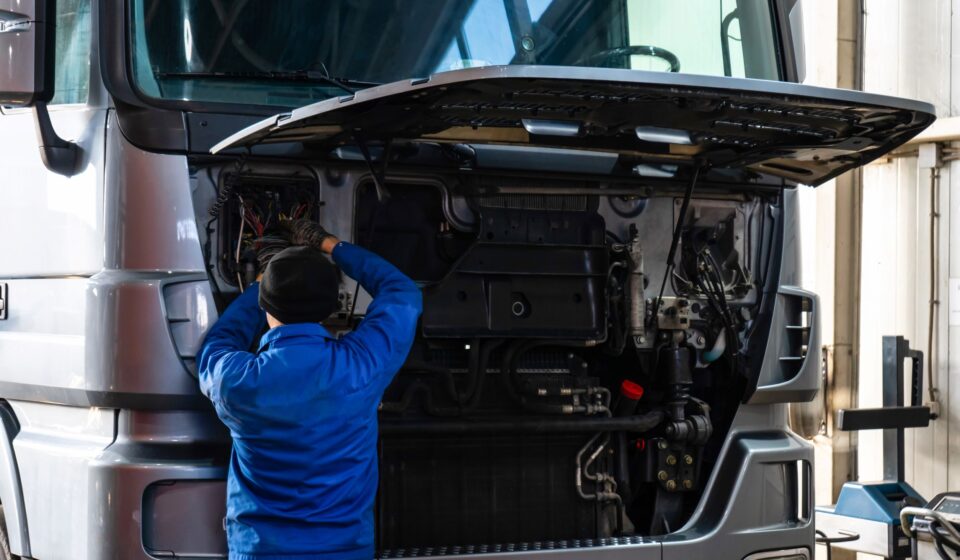

Truck breakdowns rarely happen at a convenient time. Whether a commercial truck stops on a highway or a fleet vehicle needs urgent maintenance at a job site, repair companies need to respond quickly. At the same time, they have to manage technicians, work orders, parts, customers, invoices, and service records.
Managing all of this manually can become complicated as a business grows. Mobile truck repair software provides a digital solution that helps repair businesses organize their field operations, improve communication, and complete service jobs more efficiently.
From dispatching technicians to creating digital invoices, modern software can bring the entire repair process into one centralized system.
What Is Mobile Truck Repair Software?
Mobile truck repair software is a field-service management solution built for businesses that repair and maintain trucks away from a traditional workshop.
Instead of depending on paper forms, phone calls, spreadsheets, and separate systems, repair companies can use software to manage their daily operations from a computer, smartphone, or tablet.
Depending on the software, businesses can manage:
- Truck repair work orders
- Technician schedules
- Emergency roadside service
- Customer information
- Vehicle service history
- Digital inspections
- Estimates and invoices
- Parts and inventory
- Payments
- Technician locations
- Maintenance schedules
- Business reports
The result is a more connected workflow between the office, field technicians, and customers.
Why Is Mobile Software Important for Truck Repair Businesses?
Traditional repair management methods can create unnecessary delays. A dispatcher may need to call several technicians to find someone available. A technician might have to return to the office to collect paperwork. Customer and vehicle records may be stored in different locations.
These small inefficiencies can add up.
Mobile truck repair software gives employees access to important information wherever they are. Dispatchers can assign jobs digitally, technicians can update work orders from the field, and customers can receive faster updates about their service.
For businesses handling emergency truck repairs, this can be especially valuable because response time is often an important part of the customer experience.
Essential Features of Mobile Truck Repair Software
Digital Work Orders
Work orders are at the center of most repair operations. Mobile software allows technicians to access job details directly from their mobile devices.
A work order can include the customer’s information, truck details, repair requirements, notes, parts, labor, and other relevant information.
Technicians can update the work order as the job progresses, giving office staff better visibility without relying on constant phone calls.
Technician Scheduling and Dispatch
Efficient dispatching can help mobile repair companies make better use of their technicians.
A dispatcher can view available technicians and assign jobs based on factors such as location, availability, workload, and required skills.
For urgent roadside repairs, having this information in one place can make the dispatch process more organized.
Mobile Inspections
Paper inspection forms can be difficult to manage, especially when technicians perform numerous jobs every day.
With mobile inspection tools, technicians can complete inspections using a phone or tablet. They can record problems, add notes, and capture photos to document the truck’s condition.
Digital inspection records can then be stored with the vehicle’s service history.
Vehicle Service History
Keeping accurate vehicle records is important for both repair companies and fleet operators.
Mobile truck repair software can maintain information about previous repairs, inspections, parts replaced, labor performed, and other service details.
When the same truck returns for service, technicians can review its history before starting the job.
Estimates and Approvals
Additional problems are often discovered during truck repairs. When this happens, the technician may need customer approval before performing extra work.
Software can make this process easier by allowing technicians to prepare estimates and send them for digital approval.
This helps reduce delays and creates a clear record of what the customer approved.
Invoicing and Payments
Once a repair is complete, technicians or office staff can generate an invoice using information already recorded in the work order.
Depending on the system, customers may also be able to make payments electronically.
This can reduce manual data entry and help businesses complete the billing process sooner.
Parts and Inventory Management
Truck repairs require a steady supply of parts. Running out of a commonly used component can delay a repair and create additional downtime.
Inventory features can help businesses track parts, monitor stock levels, and record which parts were used on specific jobs.
For companies operating multiple service vehicles, inventory tracking can also help managers understand what equipment and parts are being carried in the field.
GPS and Location Tracking
Some mobile repair systems provide location-based features that allow dispatchers to see where field technicians are working.
This can help businesses coordinate service calls and provide customers with more accurate information about technician arrival times.
Location tracking can also help managers understand travel patterns and improve scheduling.
Benefits of Using Mobile Truck Repair Software
1. Faster Job Management
When job information is available digitally, dispatchers and technicians can spend less time handling paperwork and communicating basic information manually.
This allows the team to focus more attention on completing repairs.
2. Reduced Administrative Work
Digital work orders, inspections, estimates, and invoices can significantly reduce paperwork.
Office employees can access completed job information without waiting for technicians to return with physical forms.
3. Better Customer Communication
Customers want to know when help is coming, what repairs are required, and how much the service will cost.
A centralized system can make it easier to provide timely updates throughout the repair process.
4. Improved Technician Productivity
Technicians can access customer information, vehicle history, work orders, inspection forms, and other resources from their mobile devices.
They can also update job status while working rather than completing paperwork later.
5. More Accurate Billing
When labor, parts, and services are recorded digitally during a job, businesses can reduce the risk of missing billable items.
Accurate documentation can also make invoices easier for customers to understand.
6. Centralized Service Records
Instead of keeping records in filing cabinets or multiple spreadsheets, businesses can maintain digital service histories.
This makes it easier to find information when customers call about previous repairs or schedule future maintenance.
7. Better Business Visibility
Managers can use reporting features to monitor completed jobs, technician activity, revenue, parts usage, and other operational information.
These insights can help businesses identify areas where their processes can be improved.
How Does Mobile Truck Repair Software Work?
A typical mobile truck repair workflow might look like this:
Customer submits a service request: The repair company receives information about the truck, problem, and service location.
Dispatcher creates a work order: The job is entered into the software along with the relevant customer and vehicle information.
Technician is assigned: The dispatcher selects an available technician based on location, availability, and service requirements.
Technician receives the job: The technician views the work order from a smartphone or tablet.
Inspection is completed: The technician examines the truck and records findings, photos, and notes.
Repair is performed: Required labor and parts are recorded digitally.
Customer approves additional work: If necessary, an updated estimate can be sent to the customer for approval.
Invoice is generated: Once the job is complete, the system can create an invoice using the recorded labor, parts, and services.
Service record is saved: The completed job becomes part of the customer’s and vehicle’s digital service history.
Who Can Use Mobile Truck Repair Software?
Mobile truck repair software can be useful for a variety of businesses, including:
- Mobile truck mechanics
- Heavy-duty repair companies
- Fleet maintenance providers
- Roadside assistance businesses
- Commercial vehicle service companies
- Diesel repair technicians
- Truck dealerships offering mobile service
- Fleet operators with in-house technicians
Small repair companies can use software to organize their daily operations, while larger businesses can use it to coordinate multiple technicians, service vehicles, and locations.
How to Choose Mobile Truck Repair Software
Choosing the right platform depends on the size and needs of your business. Before purchasing software, consider the features that your team actually needs.
Look for a system that offers:
- Easy mobile access
- Simple technician workflows
- Scheduling and dispatching
- Digital work orders
- Vehicle inspections
- Customer management
- Service history
- Parts tracking
- Estimates and invoicing
- Payment processing
- Reporting
- Integration options
- Data security
- Reliable customer support
Ease of use is particularly important. Technicians spend much of their time working on trucks, not sitting at a computer. The software should therefore be simple enough to use quickly from a phone or tablet.
Mobile Truck Repair Software and Fleet Maintenance
Fleet operators face additional challenges because they may have dozens or hundreds of vehicles that require regular maintenance.
Mobile repair software can help fleet managers keep track of individual trucks and their service histories. Maintenance teams can record inspections, repairs, parts replacements, and other service activities in a centralized system.
This can make it easier to identify upcoming maintenance requirements and maintain consistent records across the fleet.
Why Businesses Are Moving Away From Paper-Based Processes
Paper-based systems may work for a small operation, but they can become difficult to manage as the number of customers and technicians increases.
Paper documents can be misplaced, handwriting can be difficult to interpret, and information may need to be entered into a computer manually.
A digital system provides a centralized source of information that can be accessed by authorized employees when needed.
For mobile repair businesses, this is particularly useful because technicians are often working away from the main office.
Final Thoughts
Running a mobile truck repair business requires more than skilled technicians. Companies also need efficient systems for managing customers, dispatching jobs, documenting repairs, tracking parts, and handling payments.
Mobile truck repair software brings these processes together in a single digital workflow. By providing mobile access to work orders, inspections, vehicle histories, schedules, estimates, and invoices, the software can help repair companies operate in a more organized and efficient way.
As truck repair businesses continue to adopt digital tools, mobile software can provide the foundation needed to manage field service operations while delivering a smoother experience for both technicians and customers.